What Is Microsoft Dynamics 365 (D365)? CRM & ERP Apps, Pricing, and Uses Explained
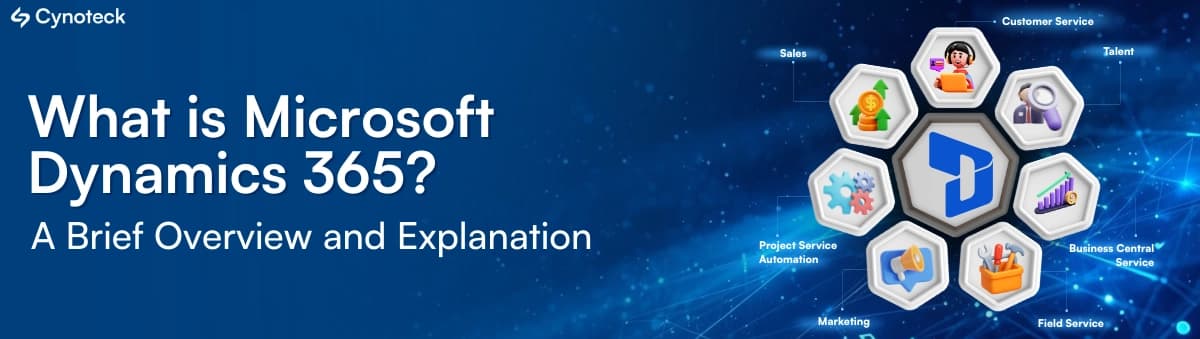
What’s in the Article?Microsoft Dynamics 365 is a cloud-based suite of CRM and ERP applications that helps businesses connect sales, customer service, finance, supply chain, operations, and other business processes. This comprehensive guide explains:
|
What Is Microsoft Dynamics 365?
Microsoft Dynamics 365 is a suite of cloud-based business applications that helps organizations manage customer relationships (CRM), sales, customer service, finance, operations, and other business processes in one connected ecosystem.
It combines business applications with automation, analytics, AI, and integration capabilities to help companies improve productivity, make data-driven decisions, and deliver better customer experiences.
Organizations can deploy Dynamics 365 applications independently or integrate them with the help of experienced Dynamics 365 consultants to connect data, streamline business processes, and improve collaboration across departments. With the right implementation partner, businesses can make the most of Microsoft Dynamics 365 services to manage customer relationships and back-office operations within a connected Microsoft ecosystem.
Microsoft Dynamics 365 at a Glance
Attribute | Details |
|---|---|
Full name | Microsoft Dynamics 365 (often abbreviated D365) |
Developer | Microsoft |
Launched | November 2016, unifying Dynamics CRM and Dynamics AX/NAV-era ERP products |
Software category | CRM (customer engagement) and ERP (finance and operations) |
Deployment | Primarily cloud (SaaS on Microsoft Azure); limited on-premises options for some apps |
Data platform | Microsoft Dataverse and Power Platform |
AI capabilities | Microsoft Copilot, AI agents, Copilot Studio for custom agents |
Licensing model | Per user per month, per app (some apps per tenant or per device) |
Typical users | Mid-sized to enterprise businesses; Business Central for SMBs |
What Does Microsoft Dynamics 365 Mean?
The name Dynamics 365 refers to Microsoft's broader family of business applications. The "Dynamics" product family historically included separate CRM and ERP products, while Dynamics 365 brings these capabilities together into a connected cloud application ecosystem.
In practical terms, Dynamics 365 can be thought of as a collection of applications that help a business manage two major areas:
CRM: Sales, customer service, marketing, customer engagement, and field service.
ERP: Finance, supply chain, commerce, operations, and other core business processes.
The applications can work independently or together, allowing organizations to build a Dynamics 365 environment around their particular business requirements.
Is Microsoft Dynamics 365 a CRM or ERP?
Microsoft Dynamics 365 is both a CRM and an ERP platform. Its CRM applications support customer-facing processes such as sales and customer service, while its ERP applications manage areas such as finance, supply chain, and business operations.
For example, a company could use Dynamics 365 Sales to manage leads and opportunities while using Dynamics 365 Finance for financial operations. These applications can be connected so relevant business information can move between processes.
This is one of the major differences between Dynamics 365 and a standalone CRM: organizations can create a broader business platform instead of managing customer and operational systems completely separately.
What Is Microsoft Dynamics CRM? (Dynamics CRM vs. Dynamics 365)
Microsoft Dynamics CRM was Microsoft's earlier customer relationship management product, and it is now part of Dynamics 365. In 2016, Microsoft folded Dynamics CRM into Dynamics 365 as the "customer engagement" apps: Sales, Customer Service, Field Service, and Marketing (now Customer Insights – Journeys).
Microsoft's older ERP products followed the same path: Dynamics AX evolved into Dynamics 365 Finance and Supply Chain Management, and Dynamics NAV evolved into Dynamics 365 Business Central. So when people search for "Dynamics CRM," "MS Dynamics," or "Dynamics 365 CRM," they are usually referring to the CRM apps inside Dynamics 365 today.
What Are the 3 Main Areas of Dynamics 365 CRM?
The three core areas of Dynamics 365 CRM are Sales, Customer Service, and Marketing:
Sales – leads, opportunities, pipeline, forecasting, and seller productivity (Dynamics 365 Sales).
Customer Service – cases, knowledge base, omnichannel support, and contact center (Dynamics 365 Customer Service).
Marketing – customer data, segmentation, and real-time customer journeys (Dynamics 365 Customer Insights).
Many organizations add a fourth area, Field Service, to manage on-site technicians and work orders.
Is Dynamics 365 Part of Microsoft 365 (Office 365)?
No. Dynamics 365 is a separate product with its own subscription; it is not included in Microsoft 365 or Office 365 plans. However, the two are designed to work together: Dynamics 365 integrates natively with Outlook, Teams, Excel, SharePoint, and Microsoft 365 Copilot, so users can view and update CRM and ERP data from the tools they already use every day.
Is Microsoft Dynamics 365 Cloud-Based?
Yes. Dynamics 365 is delivered primarily as a cloud (SaaS) service hosted on Microsoft Azure, which means Microsoft manages infrastructure, security updates, and twice-yearly feature releases. A few apps, such as Business Central and Dynamics 365 Customer Engagement, still offer on-premises or hybrid deployment options for organizations with specific regulatory or infrastructure needs.
How Does Microsoft Dynamics 365 Work?
Dynamics 365 works through a collection of connected cloud applications, business data, workflows, integrations, analytics, and AI capabilities.
A simplified model looks like this:
Business processes → Dynamics 365 applications → Shared business data → Automation and analytics → AI-powered insights and actions
A company might use Dynamics 365 Sales for its sales team, Customer Service for support representatives, and Finance or Supply Chain Management for back-office operations. These applications can be connected with other Microsoft technologies and existing business systems.
The modular approach means a business does not necessarily need to implement every Dynamics 365 application at once.
Planning a Microsoft Dynamics 365 Implementation?
From licensing and solution design to customization, integration, data migration, and deployment, the right implementation strategy can make a significant difference. Connect with Cynoteck to discuss your Dynamics 365 implementation requirements and get guidance based on your business needs.
Book a Free ConsultationWhat Is Microsoft Dynamics 365 Used For?
Microsoft Dynamics 365 is used to manage customer relationships, sales, customer service, finance, supply chain, field operations, commerce, projects, and other business processes. Organizations can use separate applications for specific functions or connect several applications to create a broader business management environment.
Sales and Lead Management
Dynamics 365 Sales helps sales teams manage leads, accounts, contacts, opportunities, activities, pipelines, and customer interactions.
AI and automation can also assist sellers with tasks such as summarizing opportunities, providing insights, supporting communication, and identifying recommended actions.
Customer Service and Support
Dynamics 365 Customer Service helps organizations manage customer cases, service interactions, knowledge, self-service, and customer support processes.
The platform also incorporates AI capabilities designed to help service representatives resolve issues and work more efficiently.
Finance and Accounting
Dynamics 365 Finance is designed for financial management and related business operations.
Organizations can use it to manage financial processes, reporting, accounting operations, and other enterprise financial requirements. Microsoft also incorporates AI and agent capabilities into its finance and ERP strategy.
Supply Chain and Operations
Dynamics 365 Supply Chain Management helps organizations manage supply chain processes such as inventory, procurement, planning, fulfillment, and related operations.
Its capabilities include AI and machine learning, demand planning, supply chain analytics, and agent-based capabilities in applicable plans.
Field Service Management
Dynamics 365 Field Service is designed for organizations that send technicians or other frontline workers to customer locations.
It can support scheduling, work orders, service delivery, resource management, and field operations, with Microsoft incorporating generative AI, IoT, and mixed-reality capabilities into its broader field-service offering.
Marketing and Customer Engagement
Dynamics 365 Customer Insights supports customer data and customer journey capabilities, helping organizations connect customer information with engagement activities.
Microsoft describes Customer Insights as a way to unify customer data and support real-time journeys and AI-assisted customer engagement.
Project and Business Operations
Dynamics 365 Project Operations helps organizations manage project-based work, including project planning, resource management, project financials, and related operational processes.
For smaller and midsize organizations looking for broader business management capabilities, Dynamics 365 Business Central combines finance, sales, service, and operations in one solution.
What Are the Microsoft Dynamics 365 Applications?
Microsoft Dynamics 365 includes multiple business applications, each designed for specific customer-facing or operational functions. Businesses can choose individual applications or combine several applications based on their requirements.
Dynamics 365 Sales: Dynamics 365 Sales is the CRM application for managing sales activities, customer relationships, opportunities, pipelines, and seller productivity. It also includes AI-powered capabilities and Microsoft 365 integration.
Dynamics 365 Customer Service: Dynamics 365 Customer Service helps organizations manage customer support, cases, knowledge, self-service, and service interactions, with AI capabilities designed to assist representatives and improve resolution processes.
Dynamics 365 Field Service: Dynamics 365 Field Service supports organizations that deliver services at customer locations. It helps coordinate field workers, scheduling, work orders, resources, and service operations.
Dynamics 365 Finance: Dynamics 365 Finance provides financial management capabilities for organizations that need to manage financial operations, accounting, reporting, and related enterprise processes.
Dynamics 365 Supply Chain Management: Dynamics 365 Supply Chain Management supports supply chain planning, inventory, procurement, fulfillment, and operational processes. It also incorporates AI and advanced planning capabilities.
Dynamics 365 Business Central: Dynamics 365 Business Central is Microsoft's business management solution aimed particularly at small and midsize businesses. It brings together finance, sales, service, operations, inventory, purchasing, projects, and other business management functions.
Dynamics 365 Commerce: Dynamics 365 Commerce supports retail and commerce operations, including customer engagement, retail processes, and connected commerce experiences. It is part of Microsoft's broader Dynamics 365 application ecosystem.
Dynamics 365 Project Operations: Dynamics 365 Project Operations supports project-based organizations with capabilities for managing projects, resources, project financials, and related business processes.
Dynamics 365 Human Resources: Dynamics 365 Human Resources supports employee and workforce-related processes, helping organizations manage HR information and related employee operations within the wider Dynamics ecosystem.
Microsoft Dynamics 365 Apps Comparison Table
App | Category | Main purpose | Best for |
|---|---|---|---|
Sales | CRM | Leads, opportunities, pipeline, forecasting | B2B sales teams |
Customer Service | CRM | Cases, knowledge, omnichannel support | Support and contact centers |
Field Service | CRM | Scheduling, work orders, technicians | Service and maintenance companies |
Customer Insights | CRM / Marketing | Customer data platform and journeys | Marketing teams |
Business Central | ERP | All-in-one finance, sales, inventory, operations | Small and midsize businesses |
Finance | ERP | Global financials, accounting, reporting | Mid-market and enterprise |
Supply Chain Management | ERP | Inventory, manufacturing, planning, warehousing | Manufacturers and distributors |
Commerce | ERP | Retail, POS, and e-commerce | Retailers and brands |
Project Operations | ERP | Projects, resources, project accounting | Professional services firms |
Take the Next Step With Microsoft Dynamics 365
Whether you are evaluating Dynamics 365 for the first time, replacing an existing CRM or ERP, or looking to optimize your current system, Cynoteck Technology Solutions can help. Our Microsoft Dynamics 365 team provides consulting, implementation, customization, integration, migration, training, and ongoing support.
Talk to our Dynamics 365 experts today to discuss your requirements.What Are the Key Features of Microsoft Dynamics 365?
The key features of Microsoft Dynamics 365 include CRM and ERP functionality, workflow automation, analytics, AI capabilities, business data integration, and connectivity with Microsoft's broader technology ecosystem.
CRM and Customer Management
Dynamics 365 provides capabilities for managing leads, opportunities, accounts, contacts, customer interactions, cases, service requests, and customer journeys.
Financial and Operations Management
ERP applications support financial management, supply chain, inventory, procurement, project operations, commerce, and other operational processes.
Workflow and Process Automation
Organizations can automate repetitive business processes, approvals, notifications, assignments, and workflows. Power Platform technologies can also extend automation and low-code development capabilities around Dynamics 365.
Business Intelligence and Analytics
Dynamics 365 connects business data with reporting, analytics, and AI-powered insights to help organizations understand performance and make data-informed decisions. Microsoft describes Dynamics 365 as an environment where connected data can support better decision-making across business functions.
AI and Copilot Capabilities
AI is now a major component of Dynamics 365. Microsoft provides Copilot experiences, AI-powered capabilities, and agents across its CRM and ERP applications to help users analyze information, automate tasks, and make decisions.
Microsoft 365 and Power Platform Integration
Dynamics 365 is designed to work with other Microsoft technologies, including Microsoft 365 and Power Platform. This allows organizations to extend business applications, automate processes, create custom solutions, and connect data across systems.
How Does AI Work in Microsoft Dynamics 365?
AI in Microsoft Dynamics 365 combines Copilot experiences, built-in AI capabilities, and AI agents to analyze business information, assist employees, automate tasks, and support decision-making across CRM and ERP processes. Microsoft describes these capabilities as being integrated across Dynamics 365 applications rather than treating AI as a separate standalone feature.
What Is Microsoft Copilot in Dynamics 365?
Microsoft Copilot provides AI-assisted experiences within Dynamics 365 applications.
Depending on the application, Copilot can help users summarize information, generate content, analyze business data, provide recommendations, and assist with routine tasks.
For example, Dynamics 365 Sales includes capabilities such as opportunity summaries, natural-language insights, email and meeting assistance, and prebuilt sales agents in applicable plans.
How Does AI Improve Sales and Customer Service?
AI can reduce the amount of manual work required from sales and service teams by bringing relevant information into the user's workflow.
For sales teams, this can include:
Opportunity summaries
Sales insights
Recommended actions
Email assistance
Data enrichment
Sales agents
For customer service teams, AI can support representatives with customer information, case management, knowledge, and service-related workflows.
What Are Dynamics 365 AI Agents?
Dynamics 365 AI agents are software agents designed to perform or assist with business tasks using AI, business data, and defined workflows.
Microsoft is expanding agent-based capabilities across Dynamics 365, with prebuilt agents available for specific scenarios and tools such as Copilot Studio available for creating custom agents.
The important distinction is that traditional automation generally follows predefined rules, while AI agents can interpret information and perform more complex, context-dependent tasks within defined business boundaries.
What Are the Benefits of Microsoft Dynamics 365?
The main benefits of Microsoft Dynamics 365 are connected business processes, centralized access to business information, automation, AI-powered assistance, scalability, and integration with Microsoft's broader cloud ecosystem.
Centralized Business Data
Connecting business applications can give teams better access to customer and operational information without requiring employees to work across completely disconnected systems.
Connected CRM and ERP Processes
Dynamics 365 can connect customer-facing processes with finance and operational workflows. For example, sales information can be connected with downstream financial and operational processes.
Business Process Automation
Organizations can automate repetitive processes, approvals, notifications, and workflows, reducing manual administrative work.
AI-Powered Insights
AI capabilities can analyze business information and provide summaries, recommendations, predictions, and other insights that help employees make faster decisions.
Scalability and Flexibility
Dynamics 365 uses a modular model, meaning organizations can select the applications they need and expand their environment as requirements change.
Microsoft Ecosystem Integration
Organizations already using Microsoft technologies can connect Dynamics 365 with products and services across the Microsoft ecosystem, including Microsoft 365, Power Platform, Azure, and related services.
Microsoft Dynamics 365 Pros and Cons
Like any enterprise platform, Dynamics 365 has clear advantages and some trade-offs. Here is a balanced summary based on what we see across real implementations.
Pros (Advantages) | Cons (Disadvantages) |
|---|---|
One ecosystem for both CRM and ERP | Licensing is complex, with many apps, tiers, and add-ons |
Deep integration with Outlook, Teams, Excel, and Microsoft 365 | Total cost can be high once implementation and customization are included |
Built-in Copilot and AI agents | Steeper learning curve than simple CRMs such as HubSpot |
Highly customizable with Power Platform low-code tools | Usually needs an experienced partner for setup and integrations |
Modular: buy only the apps you need and scale later | Twice-yearly updates require regular testing and change management |
Enterprise-grade security and compliance on Azure | Can be more than a very small business needs |
How Much Does Microsoft Dynamics 365 Cost?
Microsoft Dynamics 365 does not have one universal price because licensing varies by application, edition, user type, usage requirements, and additional capabilities. Implementation, customization, integrations, data migration, training, and ongoing support can also add to the total cost of a Dynamics 365 project.
Microsoft publishes separate pricing for individual Dynamics 365 applications rather than one single Dynamics 365 license.
Dynamics 365 Pricing in 2026 (List Prices per User/Month)
The table below shows Microsoft's published list prices for the most popular Dynamics 365 apps (USD, per user per month, annual commitment). "Attach" pricing is a lower price for additional apps when a user already has a qualifying base license.
Dynamics 365 app / edition | List price | Attach price |
|---|---|---|
Customer Service Professional | $50 | – |
Sales Professional | $65 | $20 |
Sales Enterprise | $105 | $20 |
Sales Premium | $150 | – |
Customer Service Enterprise | $105 | – |
Field Service | $105 | – |
Business Central Essentials | $80 | $20 |
Business Central Premium | $110 | – |
Project Operations | $135 | $30 |
Finance | $210 | $30 |
Supply Chain Management | $210 | $30 |
Commerce | $210 | – |
Customer Insights (marketing) | $1,700 per tenant/month | $1,000 (with qualifying licenses) |
Prices are list prices as of November 2026 and can vary by region, contract, and minimum-seat requirements (for example, Finance, Supply Chain Management, Commerce, and Project Operations require a minimum number of full users). Always confirm current pricing with Microsoft or a licensing partner before budgeting.
What Determines Dynamics 365 Pricing?
The total cost can depend on:
Which Dynamics 365 application you need
Number and type of users
License edition
Required features
AI and Copilot usage
Additional agent or Copilot credits
Data and storage requirements
Customization
Third-party integrations
Data migration
Implementation services
Training
Ongoing support
For example, Microsoft currently lists separate plans for Dynamics 365 Sales, Customer Service, Finance, Supply Chain Management, and Business Central, with different capabilities and licensing models.
Dynamics 365 Licensing vs. Implementation Costs
A common mistake is to consider only the software subscription when estimating the cost of Dynamics 365.
Licensing is the recurring software cost, while implementation covers the work required to configure, customize, integrate, migrate, test, deploy, and train users on the system.
For a complex implementation, services can therefore represent a significant part of the overall project investment.
Is Microsoft Dynamics 365 Expensive?
Dynamics 365 can be more expensive and complex than a basic CRM because it can support sophisticated CRM, ERP, integration, automation, and enterprise business requirements. However, whether it is expensive depends on the applications selected, number of users, implementation scope, customization, and business value expected from the system.
For this reason, businesses should evaluate total cost of ownership and business requirements, rather than comparing only the monthly license price.
Microsoft Dynamics 365 vs. Other Business Platforms
Microsoft Dynamics 365 competes with several CRM and ERP platforms, but the comparison depends heavily on what an organization needs from its business software.
Dynamics 365 vs. Salesforce
Dynamics 365 and Salesforce are both major CRM platforms, but Dynamics 365 has a particularly strong connection to Microsoft's CRM, ERP, productivity, and cloud ecosystem.
Salesforce is widely focused on CRM and customer-facing applications, while Dynamics 365 can combine CRM applications with ERP applications such as Finance and Supply Chain Management.
The better choice depends on the organization's existing technology environment, CRM requirements, ERP requirements, integrations, customization needs, and implementation strategy.
Dynamics 365 vs. HubSpot
Dynamics 365 generally targets more complex business processes and larger-scale CRM and ERP requirements, while HubSpot is known for an integrated CRM and marketing platform designed to be easier to adopt.
A business with relatively straightforward sales and marketing requirements may have different needs from an organization requiring complex finance, supply chain, field service, or enterprise integrations.
Dynamics 365 vs. SAP
Dynamics 365 and SAP both provide enterprise business management capabilities, but they have different product ecosystems and implementation approaches.
Dynamics 365 can be particularly attractive to organizations already invested in Microsoft technologies, while SAP may be a stronger fit for organizations whose enterprise architecture and operational requirements are centered around SAP.
Dynamics 365 vs. Business Central
Business Central is itself a Microsoft Dynamics 365 application, not a separate competitor to Dynamics 365.
Business Central is designed primarily for small and midsize businesses and combines finance, sales, service, operations, inventory, projects, and other business management capabilities.
Larger organizations with more complex enterprise requirements may instead consider Dynamics 365 Finance, Supply Chain Management, and other enterprise applications.
Is Microsoft Dynamics 365 Right for Your Business?
Microsoft Dynamics 365 can be a strong fit for businesses that need connected CRM and ERP capabilities, complex workflow automation, Microsoft ecosystem integration, advanced customization, or a scalable business application environment.
However, it may not be necessary for organizations with very simple CRM requirements.
When Should You Choose Dynamics 365?
Dynamics 365 may be appropriate when your organization:
Needs CRM and ERP capabilities within a connected ecosystem
Has complex sales or customer service processes
Needs advanced financial or supply chain management
Already uses Microsoft 365, Azure, or Power Platform
Requires extensive customization and integration
Wants to introduce AI-assisted business processes
Needs a platform that can scale with business growth
When Might Dynamics 365 Not Be the Right Choice?
Dynamics 365 may not be the best fit when:
You only need a basic CRM
Your business processes are very simple
You have limited customization requirements
You do not need extensive integrations
Your organization is not prepared for a structured implementation
The cost and complexity of an enterprise platform outweigh the expected benefits
Can Anyone Implement Dynamics 365 CRM on his Own?
Yes, you can implement Dynamics 365 CRM on your own, but a successful implementation requires in-depth knowledge of CRM configuration, customization, data migration, security, and system integration. Without the right expertise, implementation challenges can lead to inefficient workflows, data inconsistencies, and costly rework.
At Cynoteck Technology Solutions, our experienced, certified consultants help businesses simplify Dynamics 365 CRM implementation, customize the platform to their unique business requirements, and build scalable solutions that support long-term growth. As a Microsoft Solutions Partner, we deliver Dynamics 365 consulting services to businesses across the USA, UAE, and India, helping them maximize the value of their CRM investment.
Ready to Explore Microsoft Dynamics 365 for Your Business?
Understanding Dynamics 365 is the first step. The next is determining which applications, integrations, and configurations fit your business. Talk to Cynoteck’s Microsoft Dynamics 365 experts to discuss your requirements and identify the right approach for your organization.
Book a Free ConsultationFinal Takeaway: What Is Microsoft Dynamics 365?
Microsoft Dynamics 365 is a connected suite of CRM and ERP business applications that helps organizations manage customer relationships, sales, service, finance, supply chain, operations, and other core business processes. Its modular architecture allows businesses to select the applications they need while connecting data and workflows across departments.
The platform has also evolved beyond traditional CRM and ERP software by incorporating Copilot, AI-powered insights, automation, and AI agents into business processes.
For businesses already invested in the Microsoft ecosystem or organizations that need a scalable combination of CRM, ERP, automation, analytics, and AI—Dynamics 365 can provide a comprehensive foundation for managing and connecting business operations.
Explore comprehensive blogs, best practices, and insights from our technology experts.

10 Ways to Build Stronger Customer Relationships and Increase Loyalty
The best ways to build strong customer relations are to listen actively, communicate proactively, personalize every interaction, respond fast, be transparent, exceed expectations, act on feedback, reward loyalty, build a community, and use a CRM to keep every customer touchpoint connected. Businesses that do this consistently keep more customers, earn more referrals, and spend less on acquisition.
 Dynamics 365 Sales Pricing, Features & Alternatives.webp)

10 Proven Benefits of Custom CRM Software for Modern Businesses (2026)
Discover the top 10 benefits of custom CRM software development for modern businesses. Learn how tailored CRM solutions improve efficiency, enhance customer relationships, and drive business growth.
.png)
.png)
Turning expertise into action for your business.
We are more than just developers and consultants—we are your partners in navigating the digital landscape. Let us be the engine behind your next big success while you focus on your core vision.
Explore Opportunities!